
WordPress, Custom Code or a Website Builder? How a Service Business Should Choose
The platform matters less than who will run the site after launch. A decision guide for service businesses choosing between WordPress, custom code and a hosted builder — including what each one costs you if you leave.
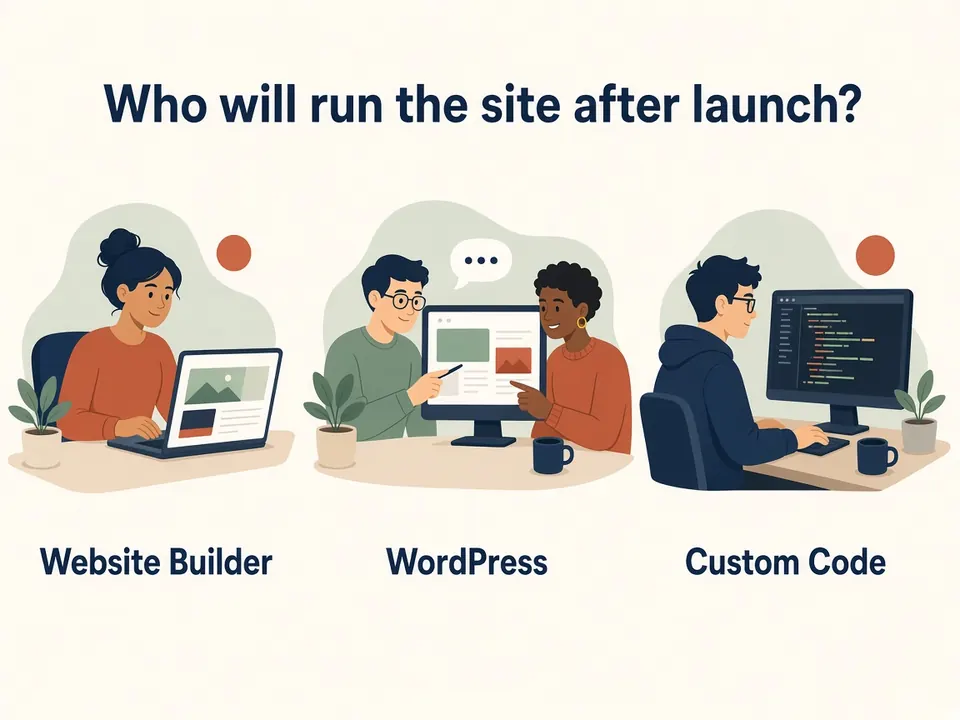
Choose the platform by who will run the site after launch and what it would cost to leave, not by which one is “best”. A hosted builder suits a simple site you will edit yourself and are happy to keep on that platform. WordPress suits a site your non-technical team needs to edit often and may want to move one day. Custom code suits exact design or unusual integrations, if someone is committed to maintaining it. None of the three guarantees rankings or speed.
- Match the platform to the person who will edit it, not to the agency's favourite stack
- Ask the exit-cost question before you commit
- We build all three and sell care plans — weigh this view accordingly
Most comparison articles on this topic are written by companies that sell one of the options. We build custom-coded sites, WordPress, and hosted builders as part of Website Development & Design, and we sell website care plans, so weigh our view accordingly. The rule we use is simple and doesn't depend on which one we'd enjoy building.
What is the difference between WordPress, custom code and a website builder?
- Hosted website builder (for example Wix, Squarespace, Webflow, Framer): one subscription covers the editor, hosting and security. You work inside the vendor's tools.
- WordPress: open-source software under the GPL license. Self-hosted, you pick the host, the theme and the plugins, and you are responsible for keeping them updated. WordPress.com is a separate, managed service built on the same software.
- Custom code: a site written by a developer in HTML, CSS and JavaScript or a framework such as React, deployed to a host. You control everything, and someone has to maintain everything. Content editing needs a CMS or developer involvement unless one is built in.
How do the three compare at a glance?
| Hosted builder | WordPress (self-hosted) | Custom code | |
|---|---|---|---|
| Who edits day to day | You, in the vendor's editor | You or your staff, in the WordPress dashboard | A developer, unless a CMS is added |
| Updates and security | The vendor | You or whoever you hire; plugins need attention | Whoever maintains the code |
| Flexibility | Limited to what the platform offers | High, through themes and plugins | Highest |
| Taking the site elsewhere | Often hard | Possible; you hold the files and database | Possible; you hold the code |
| Typical cost shape | Recurring subscription | Hosting plus upkeep, with optional premium plugins | Higher up-front build, plus maintenance time |
| Main risk | Platform lock-in, price or feature changes | Plugin security and neglected updates | Dependence on one developer |
This is a general comparison, not a ranking. Specific plans differ.
Which platform fits which kind of service business?
These are illustrative scenarios, not client case studies.
- A two-person cleaning or handyman business with a five-page site that rarely changes. A hosted builder, or a small WordPress site if you want to own the files. The deciding factor is that nobody wants to maintain software.
- A multi-location clinic or practice where an office manager updates hours, staff and service pages every few weeks. WordPress, or a builder if the layout stays simple. The deciding factor is editing without a developer.
- A business with an unusual quote calculator, a custom booking rule, or an integration its tools don't support. Custom code, ideally with a CMS so staff can still edit text. The deciding factor is a behavior the other options can't express, and a named person to maintain it.
What does the evidence say about WordPress specifically?
It is common, which means help is easy to find. W3Techs reports that WordPress powers a large share of sites that use a content management system — on the order of roughly two in five of all websites, depending on the day you check (W3Techs). Popularity means plenty of developers and documentation. It doesn't mean it is the right fit for your site.
Most of the security risk sits in plugins, not core. Industry security reports on the WordPress ecosystem consistently find that the large majority of newly reported issues land in plugins and themes rather than WordPress core (for example Patchstack's State of WordPress Security whitepaper). Patchstack sells WordPress security products, so read vendor figures with that in mind, but the pattern is clear: every plugin you add is something you have to keep updated.
A WordPress site with a handful of well-maintained plugins and a named person responsible for updates is a different proposition from one with 40 plugins and nobody responsible.
What does it cost to leave each option later?
This is the question most platform comparisons skip, and it is the one that most affects a business that expects to still be operating in five years.
- Wix: Wix's help center states that a Wix site must run on Wix's servers, and that you can't host it elsewhere. Your content belongs to you, but the site itself doesn't move. Leaving means rebuilding.
- Squarespace: Squarespace can export some content as a WordPress-format XML file, but many page types, styles and custom CSS do not export. Leaving means a partial export plus rebuilding.
- WordPress and custom code: you hold the files and the database (or the code), so moving hosts is possible. A new design or a new URL structure is still a migration.
Any move that changes URLs needs a plan. Google's guidance on site moves recommends mapping old URLs to new ones, using permanent server-side redirects, keeping them for at least a year, and expecting temporary ranking fluctuation while Google recrawls (Google Search Central).
None of this makes builders a bad choice. If the site is small and you're happy on the platform, the exit cost may never come due. The point is to know it before you commit.
Will the platform make your site faster or help it rank?
Not by itself. Google's Core Web Vitals thresholds are the same for every platform. A heavy theme, large images, or too many scripts can miss those targets on any of the three options, and a carefully built site can pass on any of them. Check your own pages in PageSpeed Insights or the Core Web Vitals report in Search Console rather than trusting a platform's marketing.
The same goes for search visibility. Titles, headings, clean URLs, redirects, structured data and useful content are what matter, so check that your platform lets you edit them. We can't promise a ranking on any platform, and nobody else can honestly promise one either.
Five questions that settle most decisions
- Who will update the site, and how often? If the answer is “me or my staff, monthly”, pick a tool they'll actually use. If it's “a developer, occasionally”, custom code becomes realistic.
- What must the site connect to? List your booking tool, CRM, payment and form tools. Confirm the platform supports each one before you commit, not after.
- If you left in two years, what would you keep? Ask for the answer in writing.
- Who is responsible for updates and backups? A name, not “the host”. With a builder it's the vendor; with WordPress or custom code, someone has to be assigned.
- What is the three-year cost, not the first-year cost? Add subscription renewals, hosting, premium plugins, care plans and developer time. Check renewal rates, not only the introductory price.
If a provider can't answer these in plain language, that tells you something about the work to come. Our post on how to vet a web design agency covers the account-ownership side in more detail.
What do we recommend when we're asked to choose?
Our default rule is to match the platform to the person who will run it:
- If the owner or staff will edit it and the needs are modest, builder or WordPress.
- If staff publish often, and you may want to move or extend later, WordPress, with a short plugin list and a named person responsible for updates.
- If the design or behavior is something templates can't do, custom code, with a CMS and a maintenance plan in place before launch.
- If the site and the follow-up behind it (booking, replies, CRM) should live in one account, a platform-built setup can be the simplest — see Business Growth Systems — as long as you've checked the exit cost above.
Whichever you pick, you should own the domain, hosting, analytics and admin accounts in your own name. Creovant Digital's terms are that clients own the site, content, data and accounts, with admin access and documentation at handover. For how the site should behave once it's live, read Your website is not a brochure. It is a sales system.
Common questions
Is WordPress better for SEO than a website builder?
Is a custom-coded website worth it for a small business?
Can I switch platforms later?
Comparing options or agencies?
Bring three things to a short call: who will edit the site, what it needs to connect to, and what you currently pay for hosting and tools. Website builds start from $500 / ₱18,000 as a one-time project, or from $299 a month on a 12-month minimum term — see pricing. If a different platform is a better fit than anything we'd build, we'll say so.